UI/UX
RESEARCH
PROTOTYPING
For this project, my goal was to explore adding features to an already existing app or product. As an avid apple maps user, I decided to explore how I could add a feature that would benefit its users and integrate seamlessly with existing features. After conducting an audit of the app and its competitors as well as a round of user interviews, I created conceptual prototypes. Testing these prototypes lead me to create my two features: a bespoke route builder and an explore neighborhoods tool. As Apple Intelligence has become a large part of iOS26, I wanted my features to integrate AI, allowing them to be smart and responsive. After rounds of lo and mid-fi prototypes, I created two high-fidelity flows using Apple’s iOS 26 design system. I also focused on design documentation, where I focused on other edge cases and states.
Problem Discovery
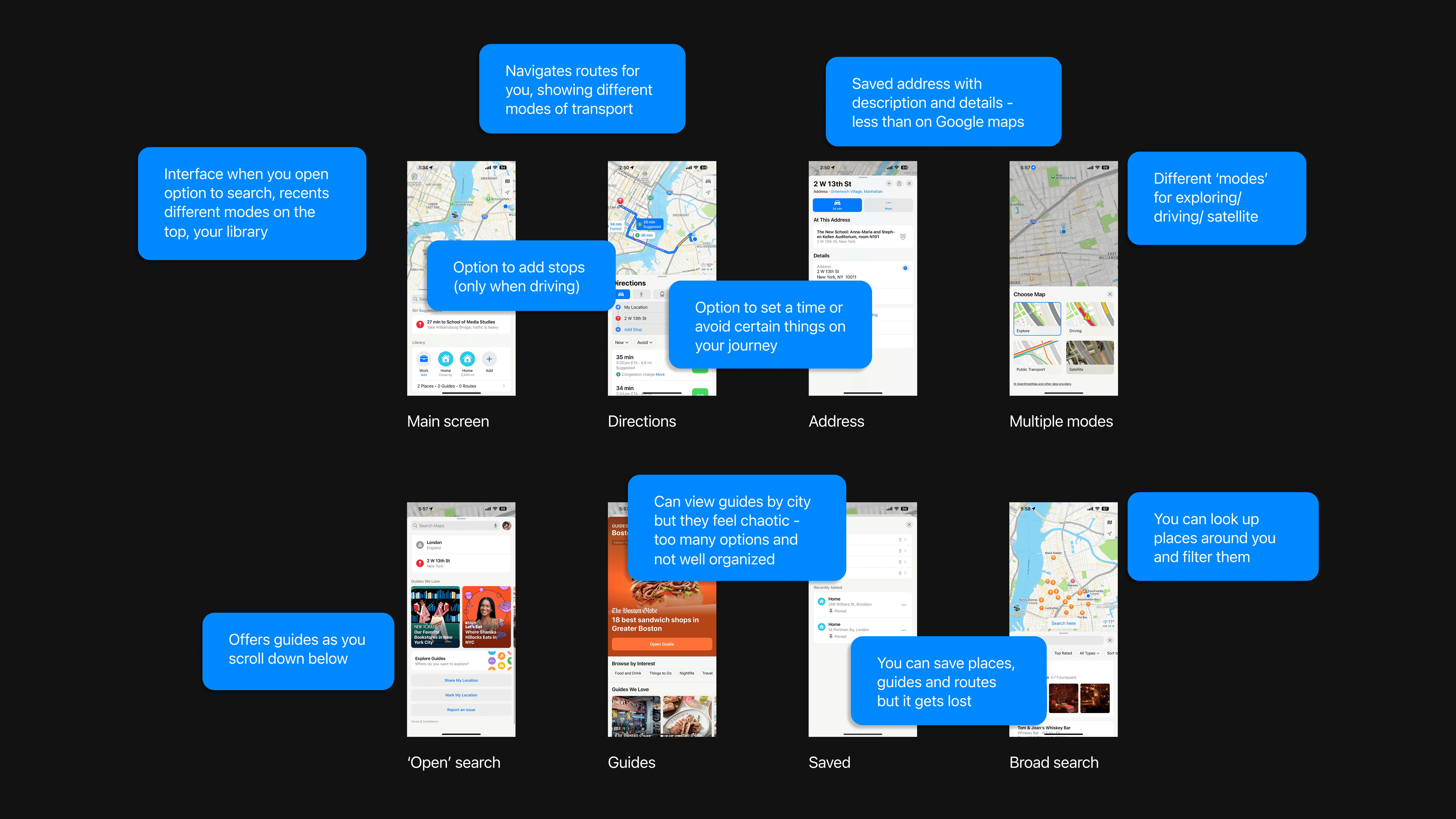
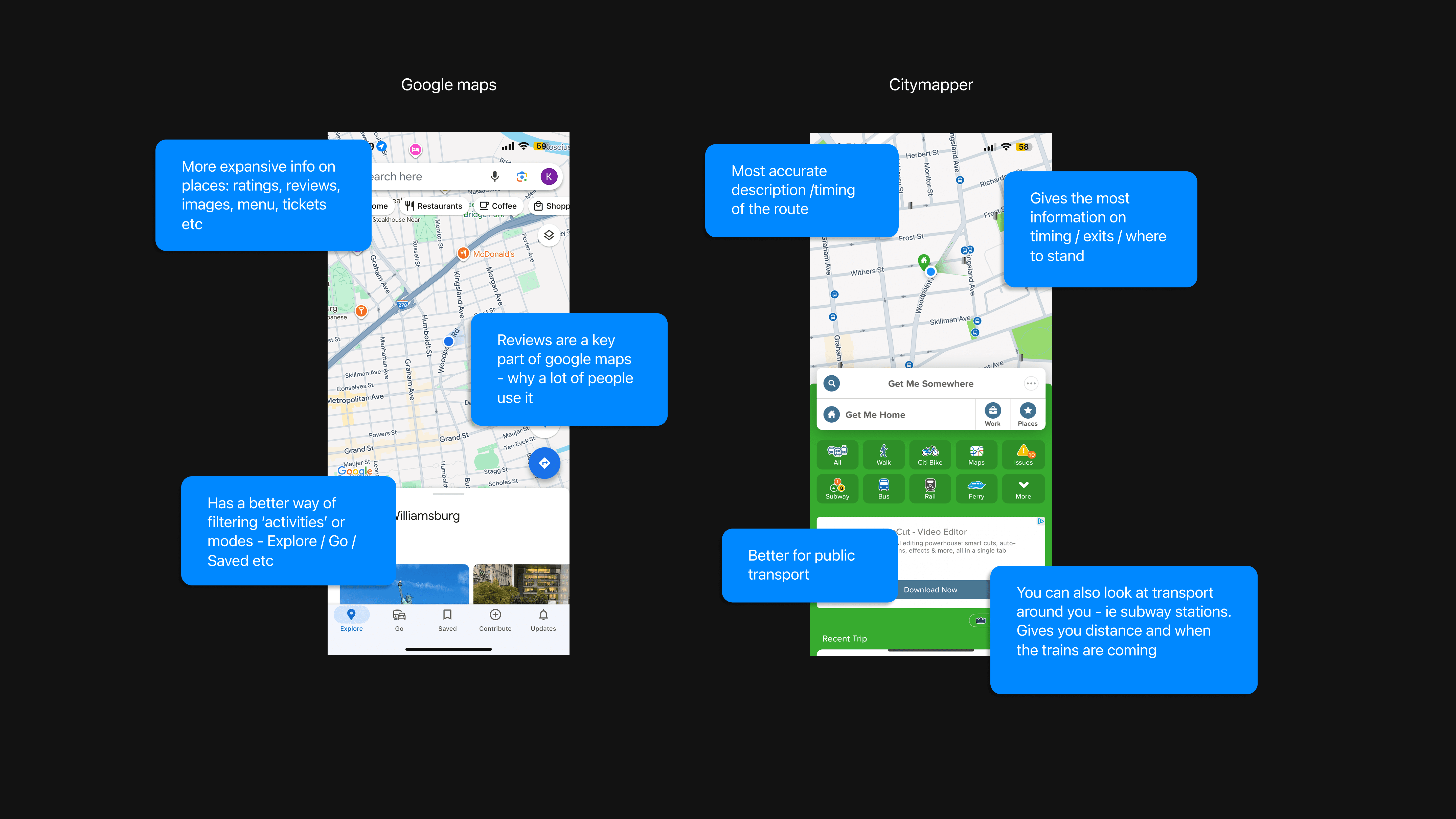
I started with an audit of Apple Maps and a competitor analysis to better understand what the opportunities are.
User Interviews
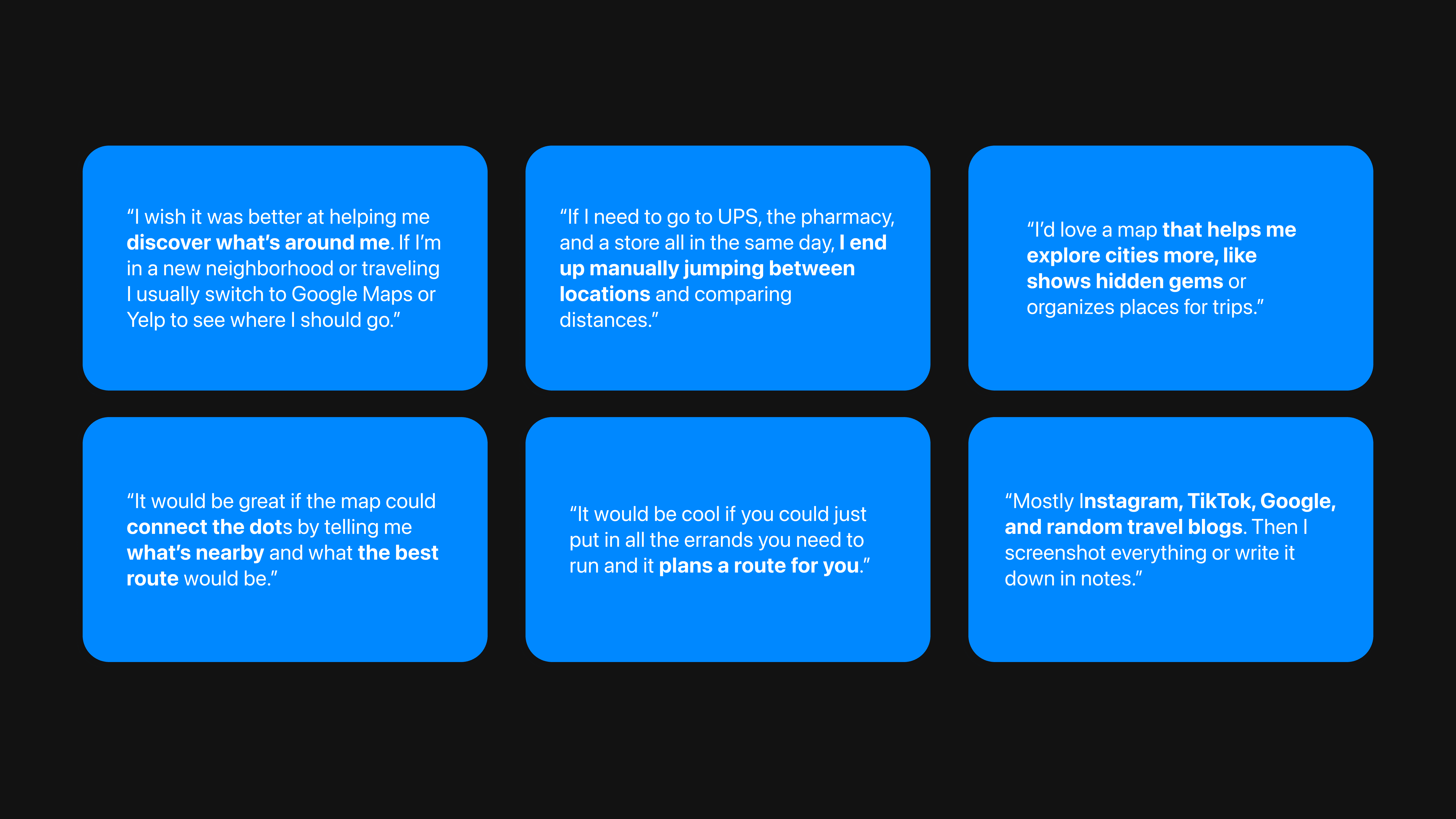
I conducted interviews with both Google Maps and Apple maps users and synthesized my research into the following key findings:
Users struggle to discover new places they might like
Route planning would be helpful
Travel planning is limited through apps, users use multiple apps/sources
Saving places gets chaotic, users look elsewhere to do this
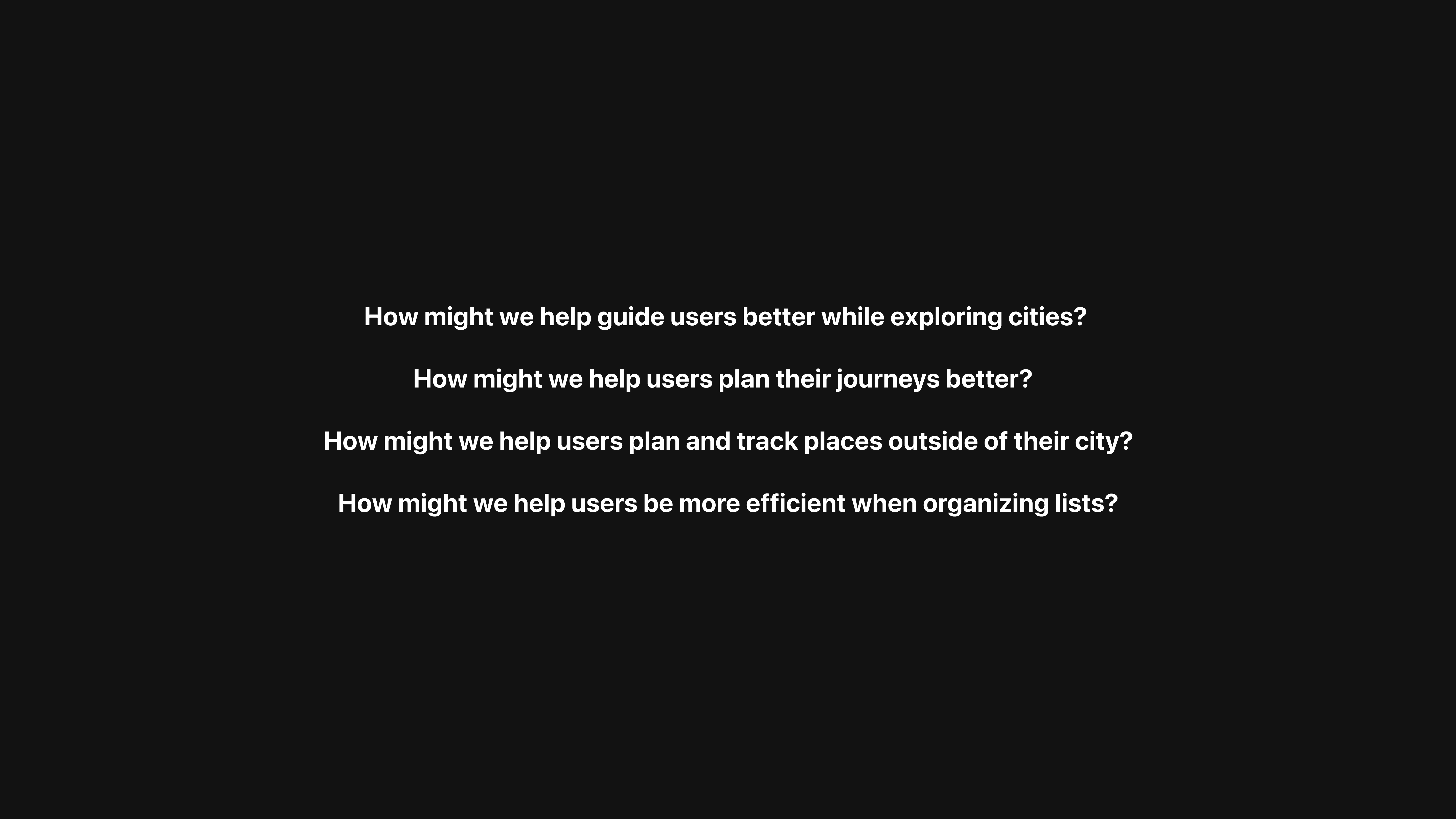
'How Might We' statements helped me prioritize what areas I wanted to explore further.
Ideation & Conceptual Prototypes
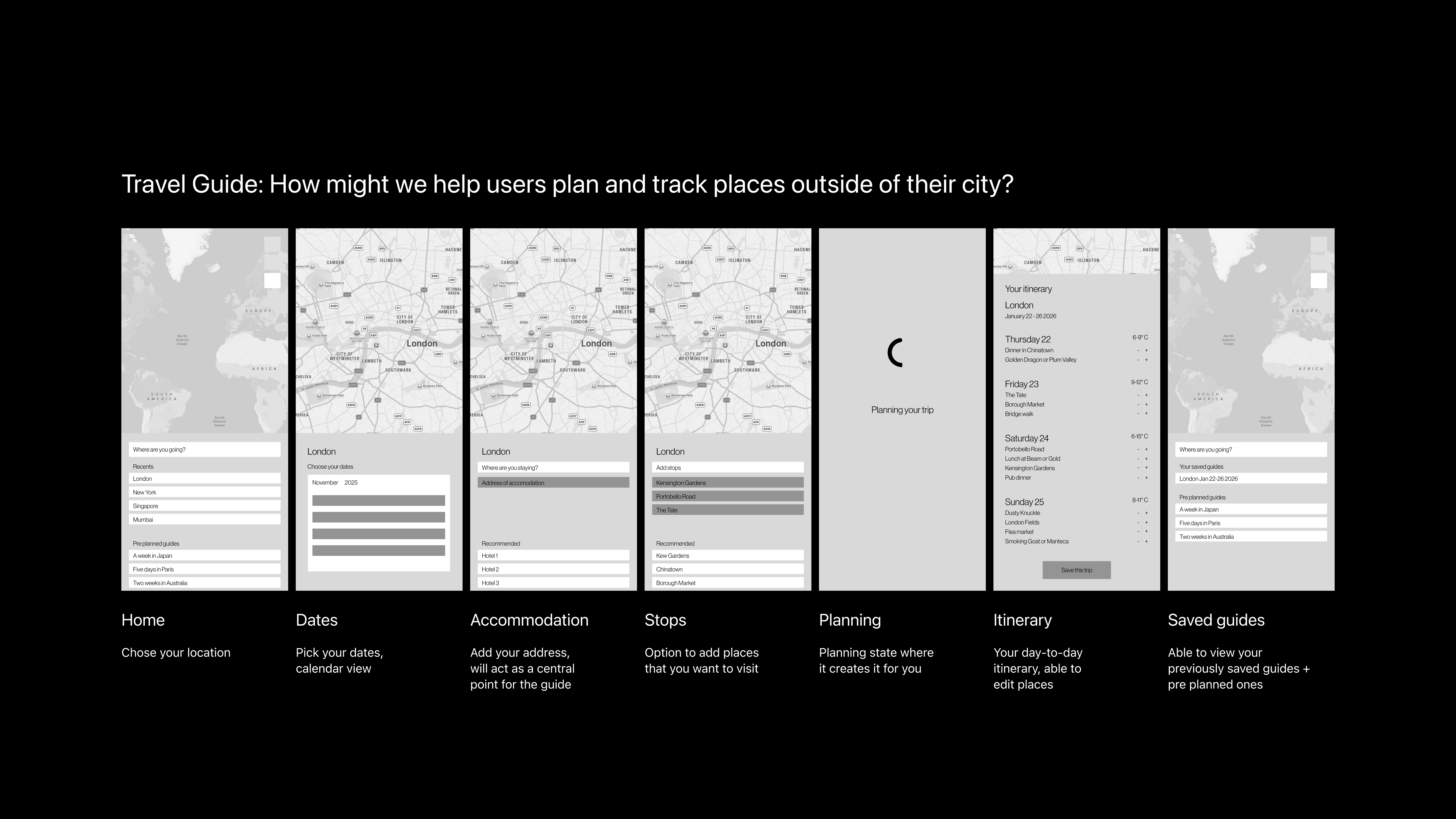
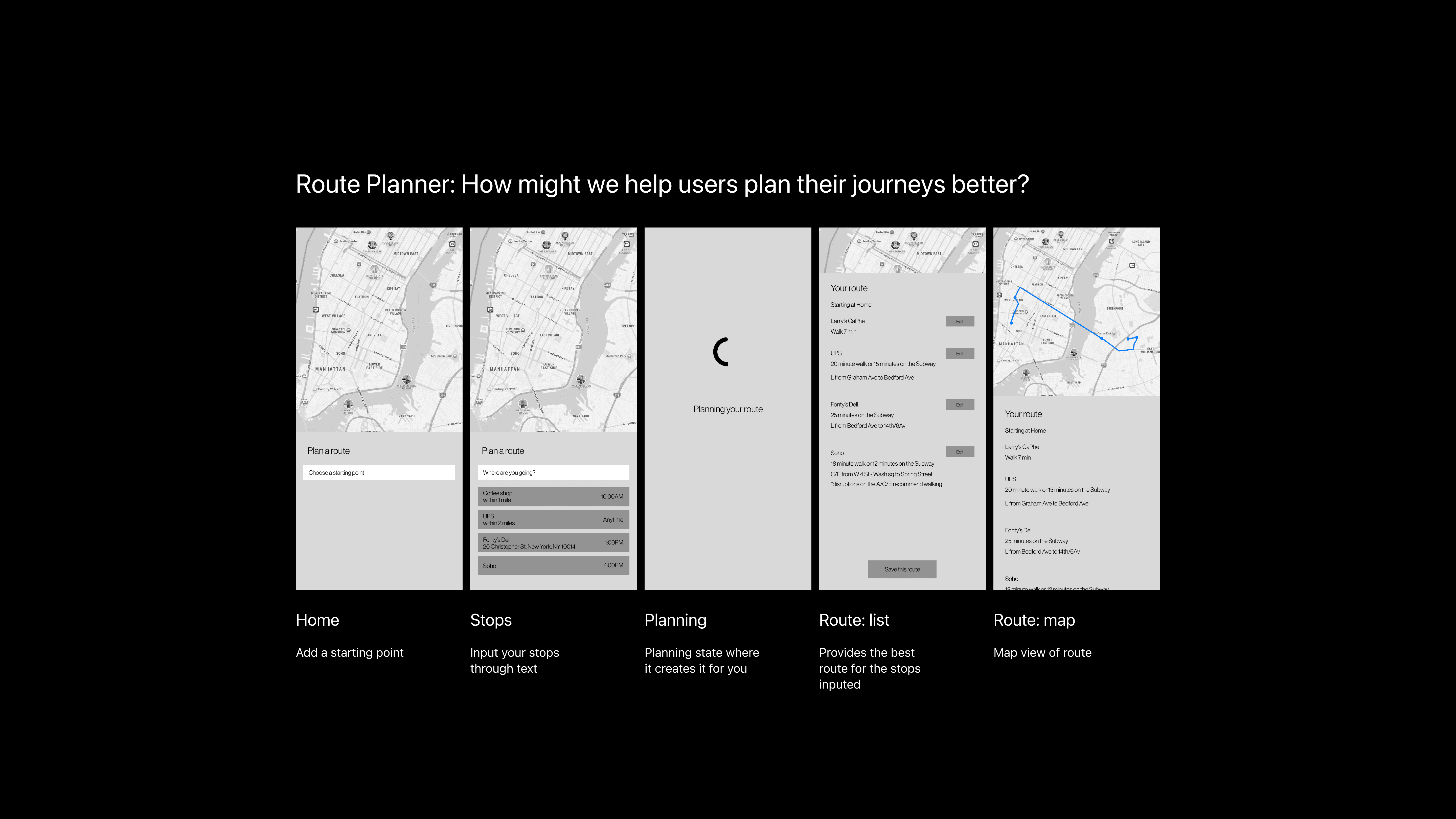
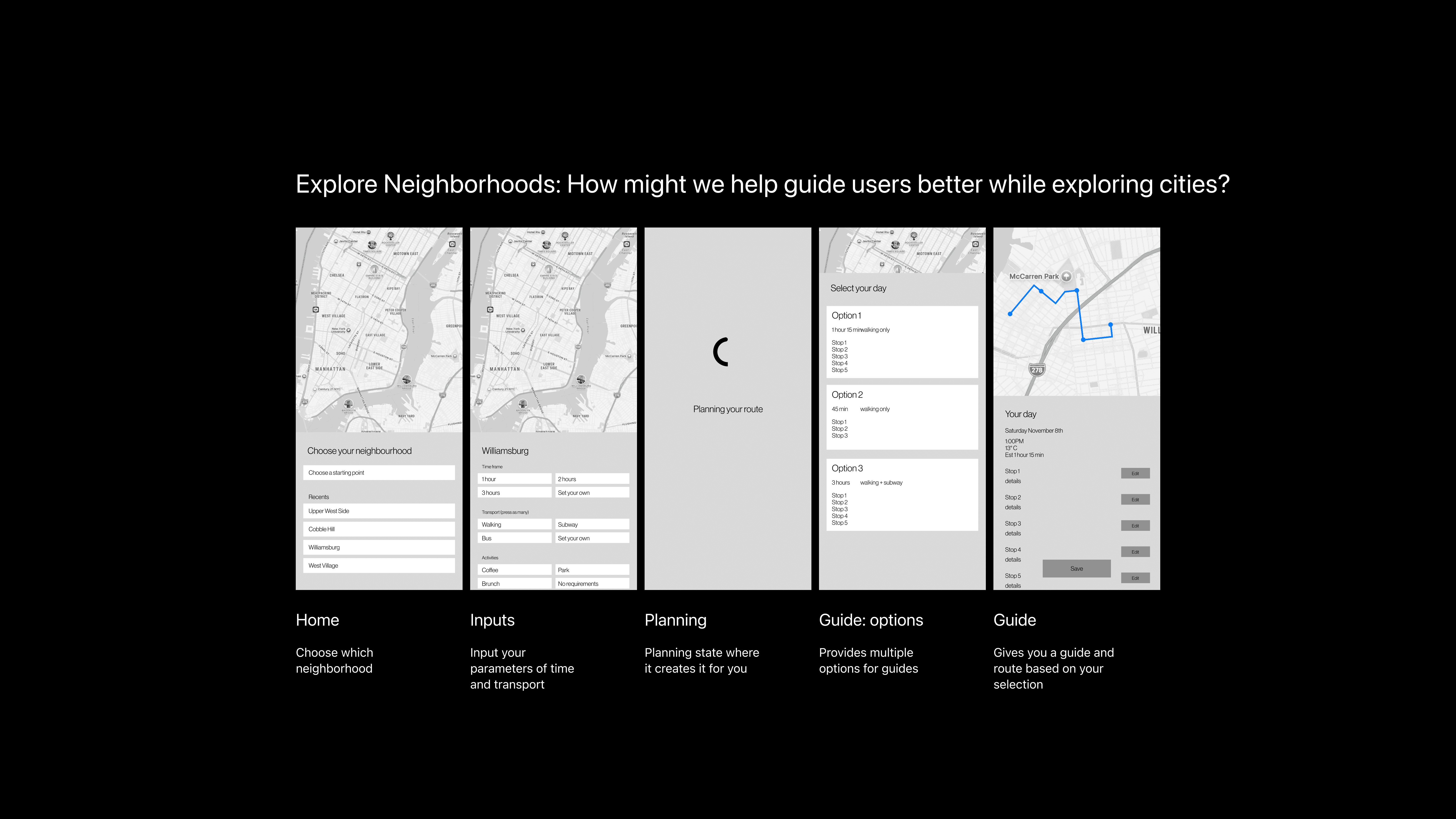
Based on research insights, I began sketching initial concept prototypes exploring three different features: a travel guide, bespoke route planner and an explore neighborhoods tool.
User Testing
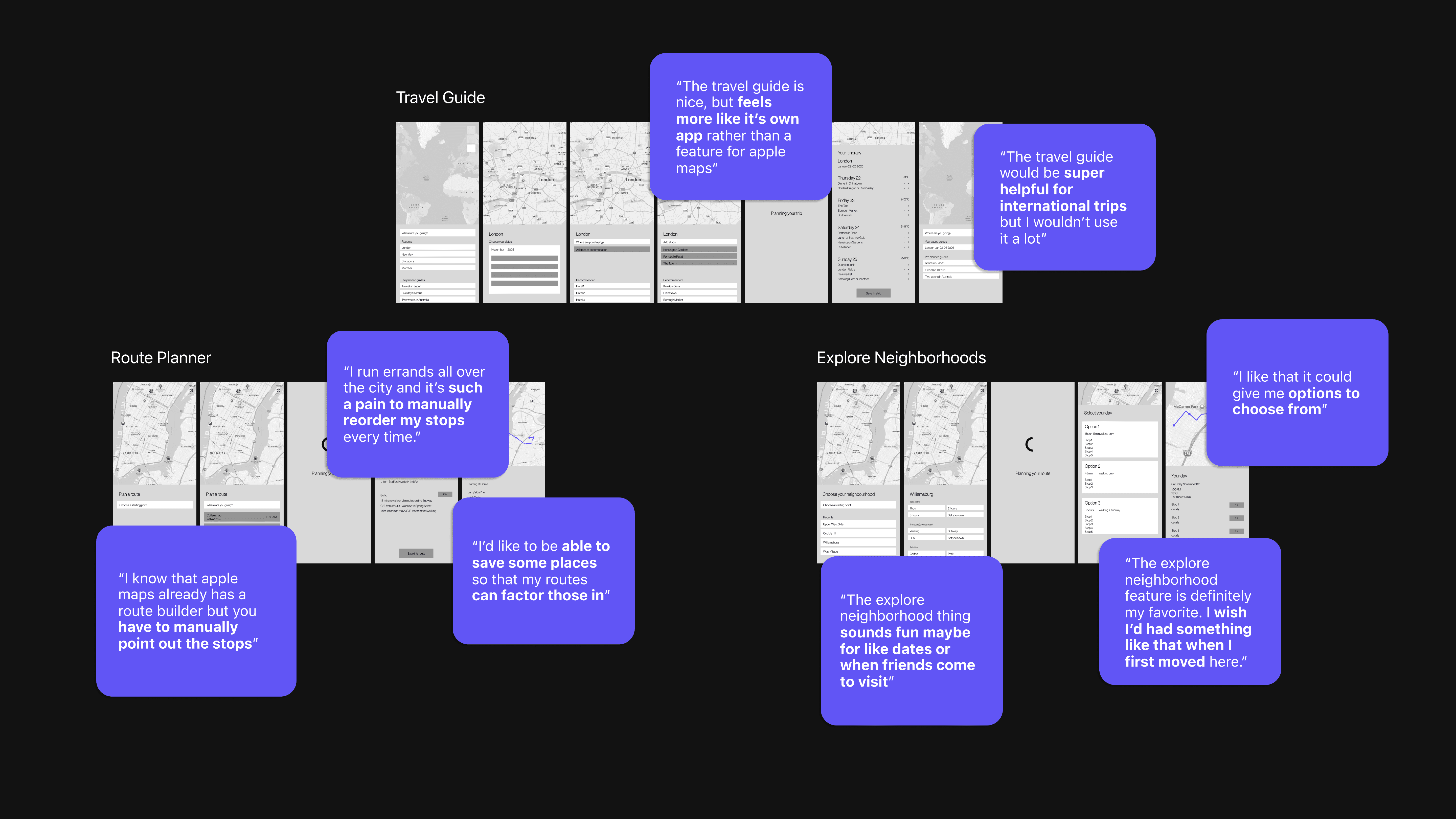
I tested my conceptual prototypes with a different set of users, with the route planner and explore neighborhoods features gaining the most traction. Other feedback included route customization flexibility and AI integration touch points. I iterated on the designs based on this feedback, moving into mid-fidelity prototypes that refined the interaction patterns.
High-Fidelity Prototypes
Working within Apple's iOS 26 design system, I created high-fidelity prototypes for both features:
Bespoke Route Planner: Allowing users to input where they need to go and giving them the best route, with the ability to constantly customize and update it
Explore Neighborhoods Tool: Guiding users better when exploring new places, creating customizable and personalized guides
Route planner
Explore Neighborhoods
Design documentation
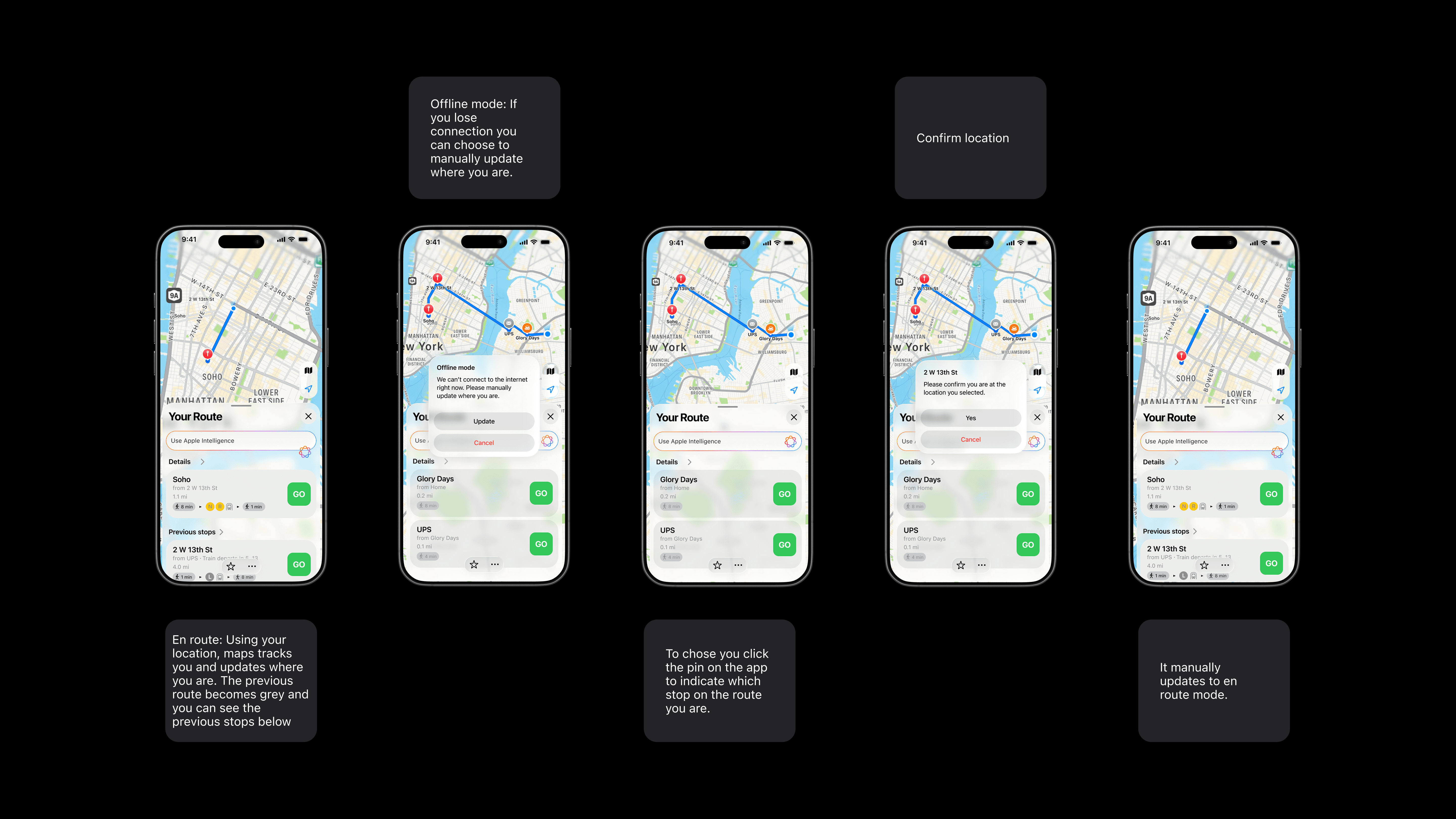
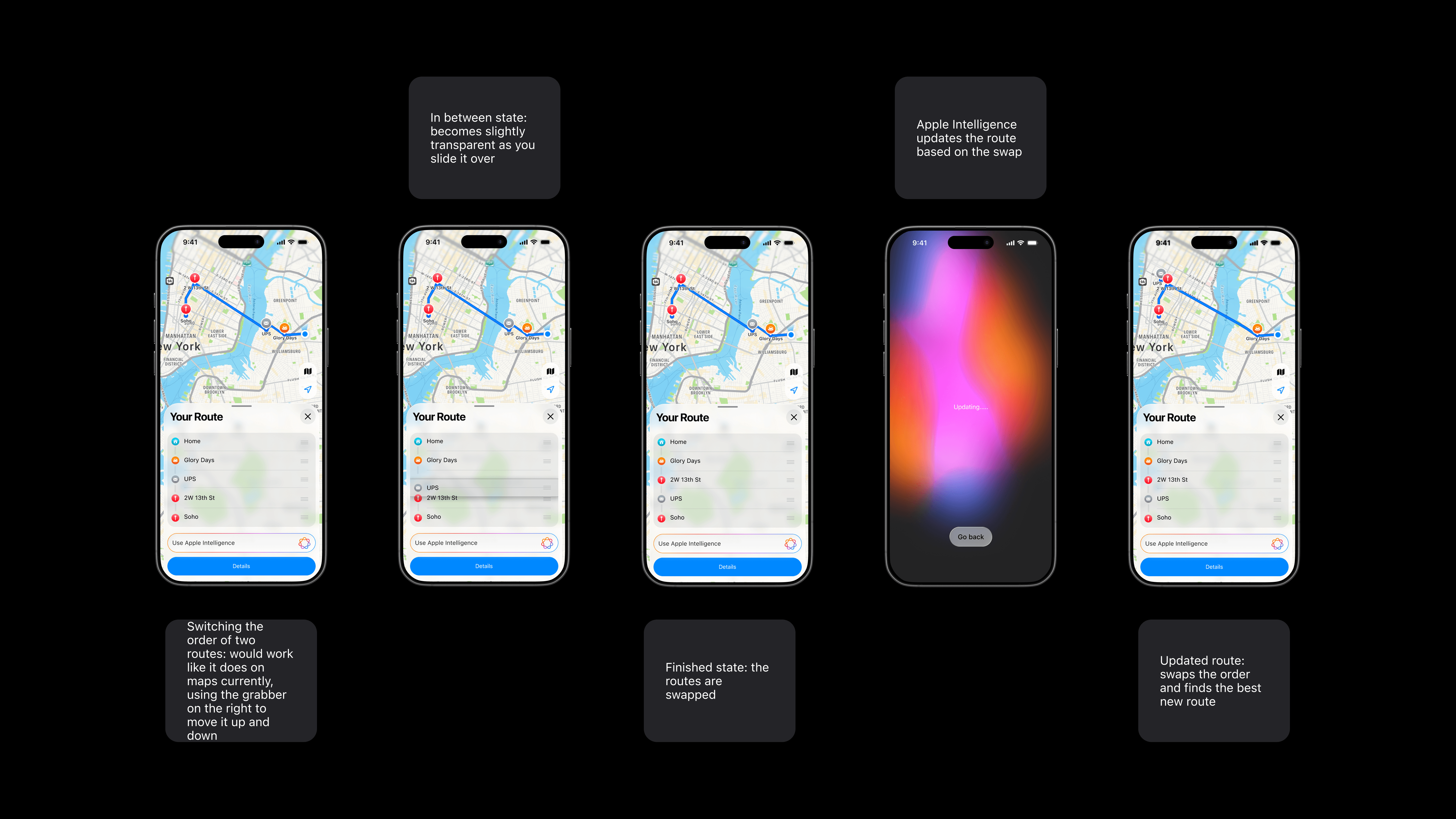
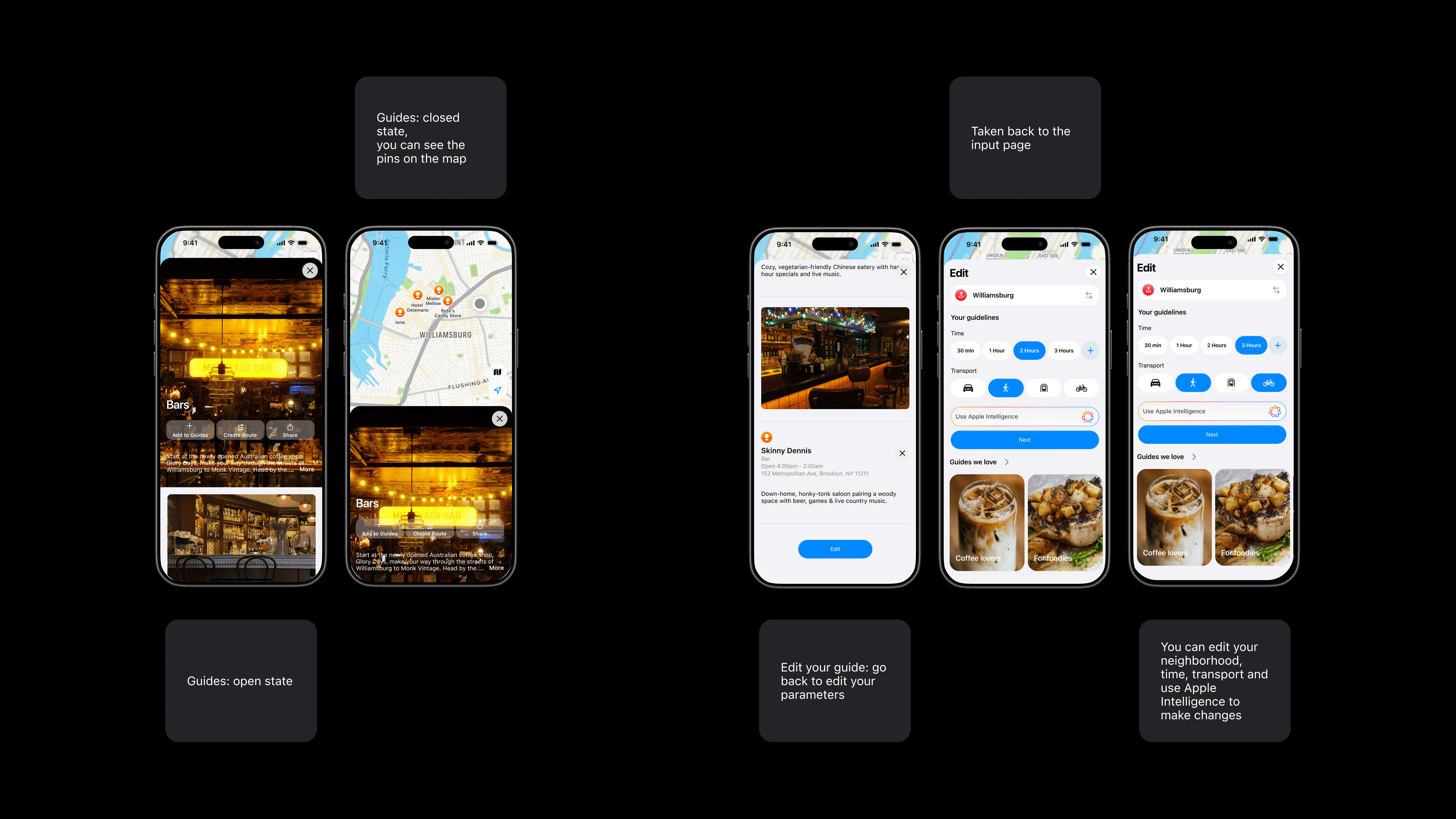
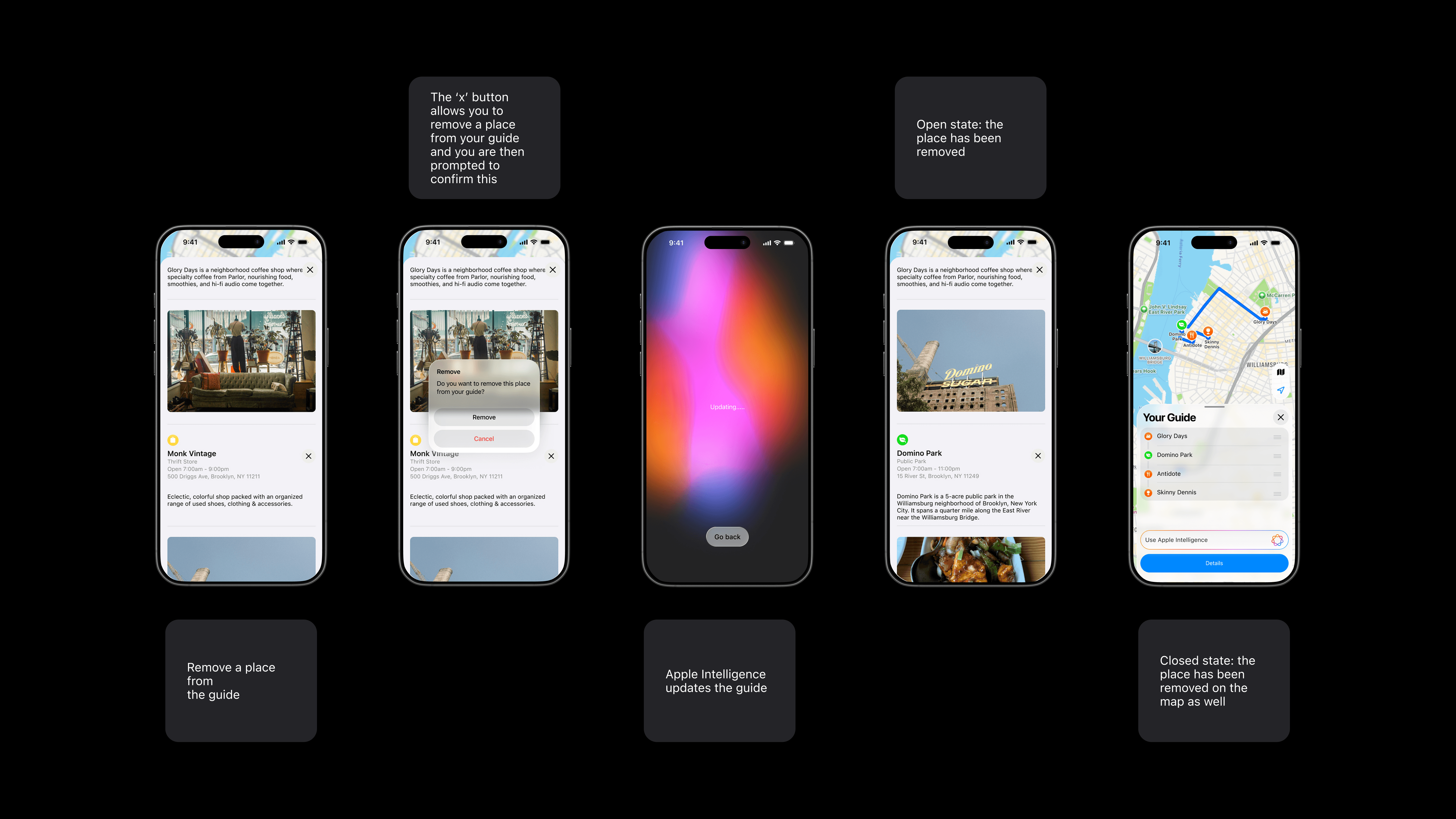
Beyond the main flows, I developed comprehensive design documentation covering edge cases, error states, empty states, and various user scenarios.
Outcomes
My main challenge throughout this project was authentically capturing Apple's look, feel, and behaviors so my features felt native to the larger ecosystem rather than tacked on, I addressed this through a deep study of Apple's Human Interface Guidelines. My biggest takeaway was learning to design within constraints while still innovating. I would like to continue exploring how Apple Intelligence could further personalize these features as well as other forms of communication like voice input. I would also like to introduce the broader Apple ecosystem such as Calendar and Weather apps.